
ParentSquare is a highly-rated K-12 school-home communication platform that unites educators, parents, and students with one solution. The application is designed to replace outdated methods like disjointed emails, missing flyers, or scattered LMS tools by consolidating messaging, event management, and household involvement into a single simple interface. Schools can send district-wide alerts, classroom updates, and event reminders, and parents get real-time insight into their child’s school life through posts, direct messages, and calendars. The Pure Contact feature on the platform keeps parent contact info accurate, and multi-language support and FERPA/COPPA compliance address accessibility and privacy concerns. ParentSquare supports existing student information systems (SIS) through an integration that creates groups automatically with low administrator workload.
Moreover, teachers can utilize the two-way communication model in ParentSquare to accept event RSVPs as well as school volunteer sign-ups or attendance notifications from parents directly through the app interface. For districts, additional analytics track engagement metrics, such as message open rates and event participation, to make data-driven decisions about improving outreach. The app’s design mimics social media feeds, making it second nature for digitally literate users, while SMS and email backups allow access for less app-savvy individuals.
In short, ParentSquare excels as a consolidated platform for school-home communication, particularly with its multi-channel publishing and actionable analytics. However, its weaknesses in notification controls and group targeting suggest room for improvement. For districts prioritizing inclusivity and data-driven outreach, the app remains a compelling choice — provided they iron out its technical issues and budget for premium tiers.


In general, ParentSquare’s performance in the app market is more than satisfactory. On one hand, ParentSquare has garnered over 57.9K reviews and a 4.6 star rating in the Apple App Store. On the other hand, ParentSquare’s performance on the Google Play store is no less impressive, having garnered over 40.9K reviews and a 4.5-star rating after experiencing over 1 million installs.
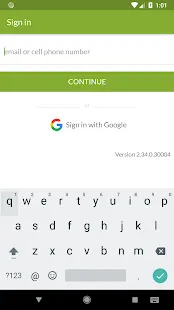
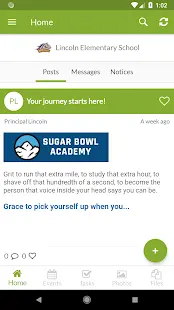
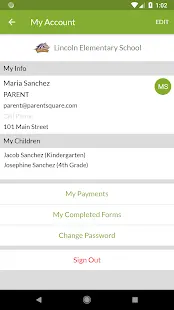
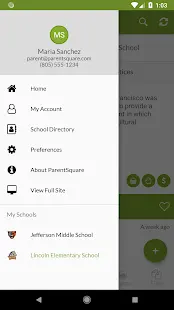
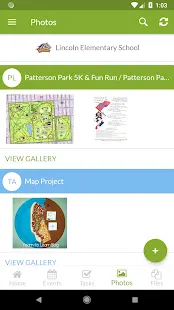
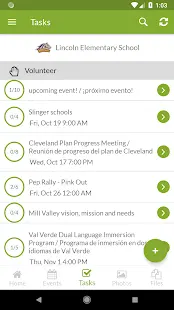
In a recent update, ParentSquare corrected user feedback about glitches in use and enhanced the app’s performance.
A few months into my child’s school using ParentSquare, my experience has been excellent. The real-time push notifications are particularly helpful; I remember once a last-minute class cancellation was communicated instantly, and parents were able to adjust plans in time. The integration with the school administration system meant event invitations, volunteer requests, and classroom updates were all in the one easily accessed location. Despite all these positives, there were some issues that I encountered. Large file uploading occasionally resulted in delays, and it was somewhat clunky to scroll through a big archive of past messages. Nevertheless, overall usability, combined with timely customer support, made the experience well worth it and significantly enhanced the school-parent communication process.
Pros
1. Consolidates messaging, alerts, calendars, and forms into one platform, eliminating app fatigue.
2. Messages reach parents via app, email, SMS, or voice calls, accommodating diverse tech comfort levels.
3. Parents can comment on posts, RSVP to events, and message teachers privately, which fosters collaboration.
4. End-to-end encryption and FERPA compliance protect sensitive student information.
5. Real-time absence reporting with parent response functionality streamlines administrative tasks.
6. Schools gain insight into engagement rates, which guides communication strategy.
7. Integrated sign-up sheets make it simple to recruit for school events or classroom volunteers.
Cons
1. Multiple alerts cause parents to be desensitized to important messages.
2. Inability to message custom parent groups (i.e., by academic performance) leads to workarounds.
3. Loss of unsaved messages while composing frustrates users.
4. Photo/video uploads often require multiple attempts.
5. Glitches occur when students change districts that use ParentSquare.






















 Clean
Clean
 Warning
 Blocked


 Check All Versions